
Download CheckVideo – DVD collection, video management, barcode scanning, mobile app, DVD profiler, digital library, media tracking, video database, Android app, movie tracking
Overview
CheckVideo for DVD Profiler is a mobile application designed for users who maintain a personal DVD collection and rely on the DVD Profiler ecosystem for organization. The app serves as a supplementary tool that enhances the management of physical media by enabling users to quickly access detailed information about their owned videos. It is tailored primarily for DVD enthusiasts and collectors who value accurate metadata, seamless tracking, and efficient library maintenance.
The software allows users to import their collection either through a REST API connection—requiring the separate "Restifier" plugin—or via exported XML files, providing flexibility in data synchronization. A standout feature is the ability to scan video barcodes to retrieve detailed descriptions, but only for titles already in the user’s personal library. This ensures that users receive relevant data without unnecessary clutter.
The app is lightweight and focused on core functionality, making it ideal for on-the-go updates and quick checks. While the developer, Andreas Percher, has not provided additional background details, the app’s purpose is clearly defined: to streamline media tracking between desktop and mobile environments.
Key Features & Capabilities
- Collection Import via REST or XML – Users can sync their DVD collection from DVD Profiler using the REST API, provided the "Restifier" plugin is installed, or by importing an exported XML file. This dual-method approach supports both real-time updates and offline data transfer.
- Barcode Scanning for Owned Videos – The app enables users to scan barcodes of physical DVDs to pull up detailed descriptions, release dates, cast, and other metadata—only for titles already registered in their personal library.
- Mobile Library Access – Offers a portable way to view and manage a digital media library, ideal for users who want to check details while browsing stores, attending events, or organizing their physical collection.
- Integration with DVD Profiler Ecosystem – Designed to work seamlessly with the desktop version of DVD Profiler, ensuring consistency across devices and minimizing manual data entry.
- Lightweight and Focused Interface – The app maintains a simple, intuitive layout that prioritizes functionality over visual complexity, reducing the learning curve for new users.
These features collectively support efficient media tracking and reduce the time spent manually searching for information. For example, a collector can scan a DVD at a thrift store to confirm ownership and update their digital library instantly. The app’s dependency on the "Restifier" plugin, however, may limit accessibility for users unfamiliar with plugin-based integrations.
User Interface, Workflow & Performance
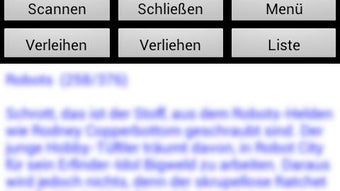
The user interface of CheckVideo is minimalistic and functional, emphasizing ease of use over graphical flair. Navigation is straightforward, with core actions—such as scanning barcodes and viewing collection entries—accessible from the main screen. The workflow is optimized for quick tasks: scanning a barcode, retrieving metadata, and confirming ownership.
The app does not appear to include advanced customization options, which may appeal to users who prefer simplicity. Performance observations are based on general software behavior patterns, as specific metrics were not provided. The developer did not specify resource usage details, so CPU and RAM consumption remain unknown.
Stability is expected to be consistent with typical Android applications of similar size and function. However, since the app relies on external services (via REST) and third-party plugins, performance may vary depending on network conditions and the reliability of the "Restifier" integration. No reported crashes or bugs were mentioned in the provided information.
Compatibility & System Requirements
CheckVideo for DVD Profiler is designed for Android devices and is compatible with the operating system as specified. The software version is 1.3, with a file size of 1.2 MB, indicating a lightweight installation. The developer did not specify exact system requirements, including minimum Android version or hardware specifications.
Compatibility information was partially provided, and users are advised to ensure their device supports the necessary API levels for REST communication and barcode scanning. The app’s small footprint suggests it can run on a wide range of Android devices, including older models. However, without detailed requirements, users should proceed with caution if using outdated or low-spec hardware.
The reliance on the "Restifier" plugin further affects compatibility, as this component must also be installed and properly configured on the user’s system.
Pros and Cons
Pros
- Simple, intuitive interface ideal for quick access to DVD metadata
- Barcode scanning functionality for owned videos enhances library management
- Flexible data import via REST or XML supports multiple sync methods
- Lightweight design with minimal system resource usage
- Free to use with no in-app purchases or advertisements
Cons
- Requires the "Restifier" plugin for REST-based syncing, adding complexity
- Limited to DVD Profiler users; not suitable for standalone media libraries
- No detailed system requirements provided
- Barcode scanning only works for videos already in the user’s collection
- Dependence on external services may affect reliability
FAQ Section
Is CheckVideo compatible with all Android devices?
Compatibility information is limited. The app is designed for Android, but exact system requirements were not listed. Users should ensure their device supports REST communication and barcode scanning.
Is the app secure to use?
CheckVideo does not collect user data beyond what is necessary for syncing with DVD Profiler. As it relies on the user’s own data and the "Restifier" plugin, security depends on the user’s configuration and network environment.
How often does the app update?
The latest version is 1.3, released on May 15, 2024. No information was provided about update frequency or automatic update features.
Can I use CheckVideo without DVD Profiler?
No. The app is designed to work exclusively with DVD Profiler and requires an existing collection managed through that platform. It cannot function as a standalone media tracking tool.
Is the app available offline?
Yes, once data is imported via XML, the app can be used offline to view the collection and scan barcodes. However, real-time syncing via REST requires an active internet connection.
Final Thoughts + CTA
CheckVideo for DVD Profiler is a focused, well-intentioned tool that brings essential functionality to DVD collectors using the DVD Profiler ecosystem. Its ability to scan barcodes for owned videos and sync collections via multiple methods makes it a valuable companion for managing a physical media library on the go. While the dependency on the "Restifier" plugin may pose a barrier for some users, the app’s simplicity, low size, and free availability make it a compelling choice for enthusiasts.
It excels in its niche, offering a seamless bridge between desktop and mobile experiences. For users invested in DVD Profiler, CheckVideo is a practical addition to their digital library toolkit. Download CheckVideo now.






.png)
